


.png)


Was this newsletter forwarded to you? Sign up to get it in your inbox.
Developers have been losing their minds over Claude Code for months—especially since the release of Opus 4.5. As for the AI-curious-but-non-technical among us, we’ve been watching from the sidelines, wondering when we’d get something similar. Now we have an answer.
Claude Cowork is a new, third tab in Claude’s desktop app—alongside Chat and Code—and it’s designed to bring Claude Code’s agentic, asynchronous workflow to everyone else. Claude Code is powerful, but it requires comfort with a terminal—the text-based command line developers use. Cowork offers the same “hand off a task and come back when it’s done” experience, but wrapped in a visual interface anyone can use.
We got access a few hours before the feature went live to Claude Max users and ran a two-hour livestream led by our testers Dan Shippper and Kieran Klaassen to share our findings. A few members of the Anthropic team joined, including an engineer from the team that built Cowork—more on that conversation below. If you’re interested in catching the full conversation, you can check it out in a special edition of AI & I. Watch on X or YouTube, or listen on Spotify or Apple Podcasts.
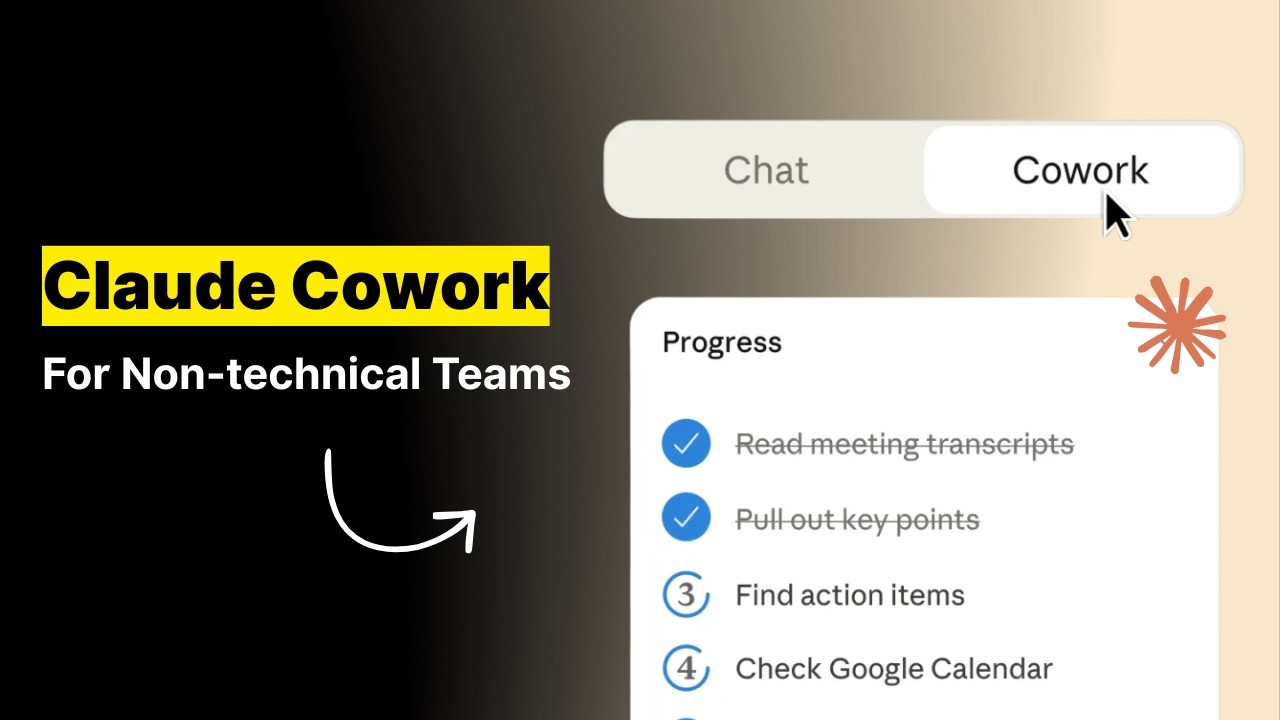

The most impressive thing is that Anthropic built Cowork in a week and a half. The team had been prototyping ideas around “Claude Code for non-coding work” before Christmas, but the holidays clarified the opportunity. More people were discovering Claude Code and using it for tasks outside programming, so they accelerated the timeline—a powerful example of just how much the velocity of product development has changed with AI.
Here’s our day-zero verdict: Cowork is genuinely new—no other company is doing exactly this— but there are rough edges that will require some patience while the Anthropic team smooths them out. The capabilities aren’t as robust as Claude Code, and it’s available exclusively through the Claude macOS app (no web or mobile access at this time). But if you’re a Max subscriber (the $100 tier) with patience for a research preview and curiosity about what asynchronous AI work feels like, Cowork is worth exploring now. If you need polish, give it a few weeks.
What is Claude Cowork?
Think of Cowork as chat that has access to your computer and doesn’t give up after two minutes.
In Claude’s chat interface, you send a message, wait for a response, then send another message. You can’t interrupt or redirect mid-stream—if Claude is responding, you’re stuck waiting.
Cowork is different. You can queue up additional messages while it’s working, more like leaving notes for a colleague than having a conversation. Tasks run for 30 minutes, an hour, or sometimes longer without Claude needing you to tell it to continue.
The other big shift: Cowork runs locally on your Apple computer. It can read and edit files in folders you approve, and if you connect it to Chrome, it can browse your logged-in sessions, including your Gmail, analytics dashboards, and social feeds. Under the hood, it’s built on the same foundations as Claude Code, but it’s wrapped in a graphical interface that doesn’t assume you know what a terminal is.
Cowork lives in its own tab, and your chats are local, not synced across devices. There’s no mobile interface or Windows compatibility yet. On the plus side, Skills—packets of custom instructions you can install in Claude to handle specific tasks, like following your company’s style guide or applying design principles—automatically load into Cowork.
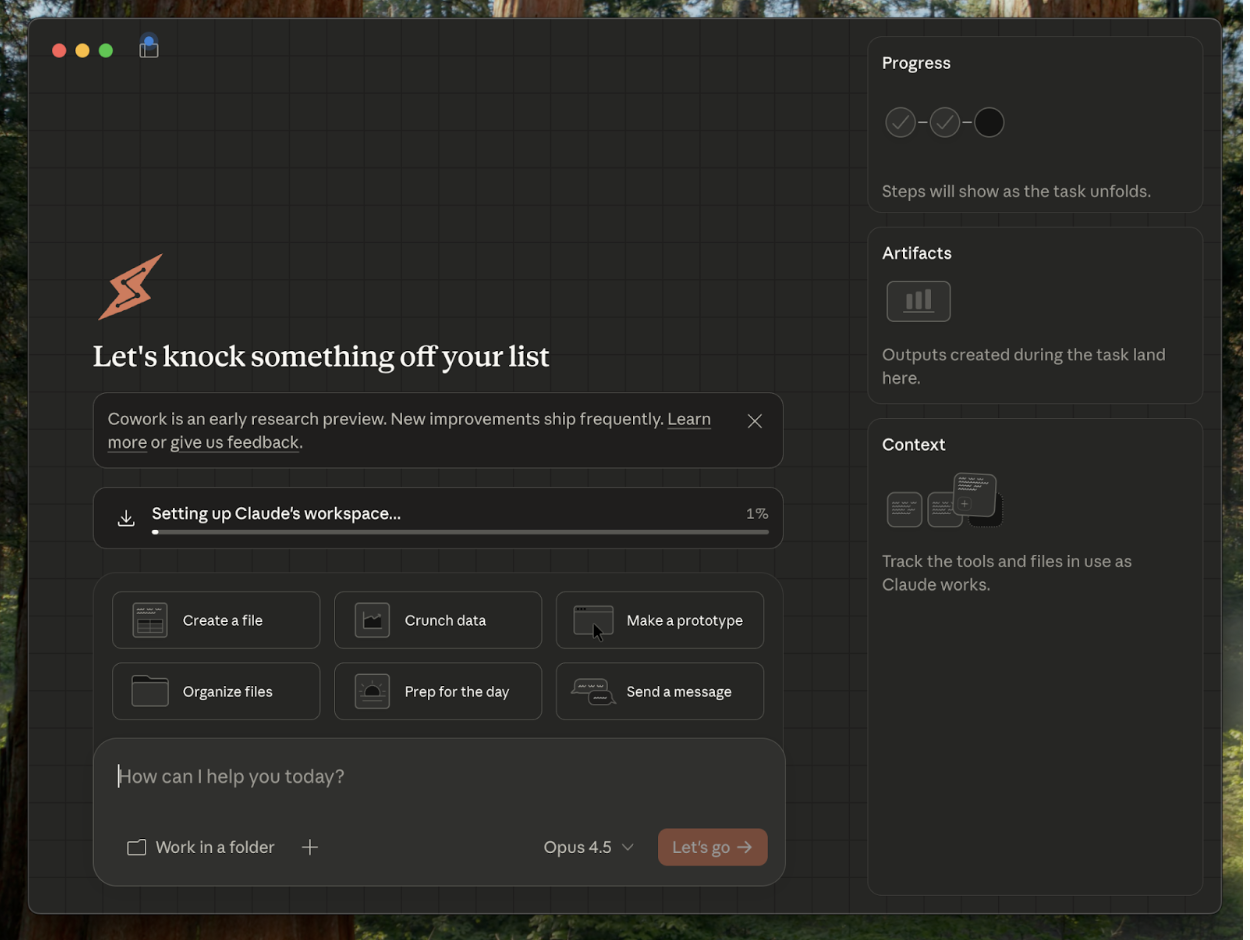
Strategically, this is offense, not defense. No direct competitor offers a GUI-wrapped agentic assistant with local computer access for non-developers. Anthropic is staking out the “asynchronous AI assistant” category before anyone else defines it, betting that the millions of knowledge workers who watched developers fall in love with Claude Code are ready for their own version.
The Reach Test
Kieran Klaassen, general manager of Cora
Rating: Concept 🟩 / execution 🟨
“The UI is janky, but the concept excites me—this is the opportunity to give non-developers their Claude Code moment. The async workflow, the skills integration, and the local computer access—it’s genuinely new, even if the interface needs work. I don’t see any other company attempting this.”
Dan Shipper, cofounder and CEO
Rating: Concept 🟩 / execution 🟨
“You won’t realize how useful Cowork is until you use it. The learning curve is real—non-technical users aren’t trained to think about working with AI as async, and building that muscle takes time. But once you experience handing off a task and coming back an hour later to find it done, something clicks.”
Putting it through its paces
Cowork’s killer feature is persistence at non-coding tasks: It doesn’t quit the way the chat interface does.
The calendar audit that ran for an hour
Dan asked Cowork to go through the past month of his calendar, categorize how his time was spent, and compare it against his goals. Regular Claude would answer in a few turns and call it a day. Cowork ran for about an hour, browsing Chrome to access his calendar, scrolling through entries, and categorizing meetings. It produced a breakdown: lots of standups, many one-on-ones, a suspicious number of podcasts. It noted that many days had more than 10 to 15 events and asked follow-up questions about priorities.
 Create a free account to continue reading
The Only Subscription
You Need to
Stay at the
Edge of AI
The essential toolkit for those shaping the future

"This might be the best value you
can get from an AI subscription."
- Jay S.
 Every Content
 AI&I Podcast
 Monologue
 Cora
Cora
 Sparkle
 Spiral
Join 100,000+ leaders, builders, and innovators

Email address

Already have an account? Sign in
What is included in a subscription?
Daily insights from AI pioneers + early access to powerful AI tools



 Front-row access to the future of AI
 In-depth reviews of new models on release day
Playbooks and guides for putting AI to work
Prompts and use cases for builders
In-depth reviews of new models on release day
Playbooks and guides for putting AI to work
Prompts and use cases for builders
In-depth reviews of new models on release day
Playbooks and guides for putting AI to work
Prompts and use cases for builders
In-depth reviews of new models on release day
Playbooks and guides for putting AI to work
Prompts and use cases for builders
 Bundle of AI software



.png)
 Dan Shipper

 Katie Parrott
.png)
 Reviews of new AI models on release day
Comments
Don't have an account? Sign up!
Great first-impressions summary. How does Cowork stack up against Sparkle for organizing files?