
Midjourney/Every illustration.

Vibe Check: Claude Skills Need a ‘Share’ Button

The feature is powerful for individuals and tricky for teams—but it does lighten the cognitive load

Like 27 Comments 7

Was this newsletter forwarded to you? Sign up to get it in your inbox.


Within hours of the launch of Skills over two weeks ago, the newest Claude feature from Anthropic, I’d built six of them—and I was already imagining more. I saw uses for these sets of custom instructions all over my writing workflow, and I couldn’t wait to build skills for the rest of the Every team, too.

A skill is a folder containing instructions, scripts, and resources that teaches Claude how to perform a specific task, like creating a report in a particular format or conducting competitive research that targets specific information. Skills perform those tasks according to your instructions without you having to re-explain your preferences every time. You package up the knowledge you want it to have—instructions in a Markdown file, reference documents, even Python scripts—upload it, and Claude boots up those instructions automatically when it detects a relevant task.

The first batch of skills I created covered the editorial checks I routinely run. First was an Every style guide enforcer that remembers all of Every’s 400 grammar and mechanics rules. Next came a hook-checker that spots when a story’s real opening is hiding deep within my draft. Then there was a thesis sharpener, an angle-finder, a fact-checker, and an ELI5 (“explain like I’m 5”) tool that flags jargon I need to translate for readers. Together, they handle the hundreds of micro-decisions that drain the attention and energy I’d rather reserve for higher-level thinking.
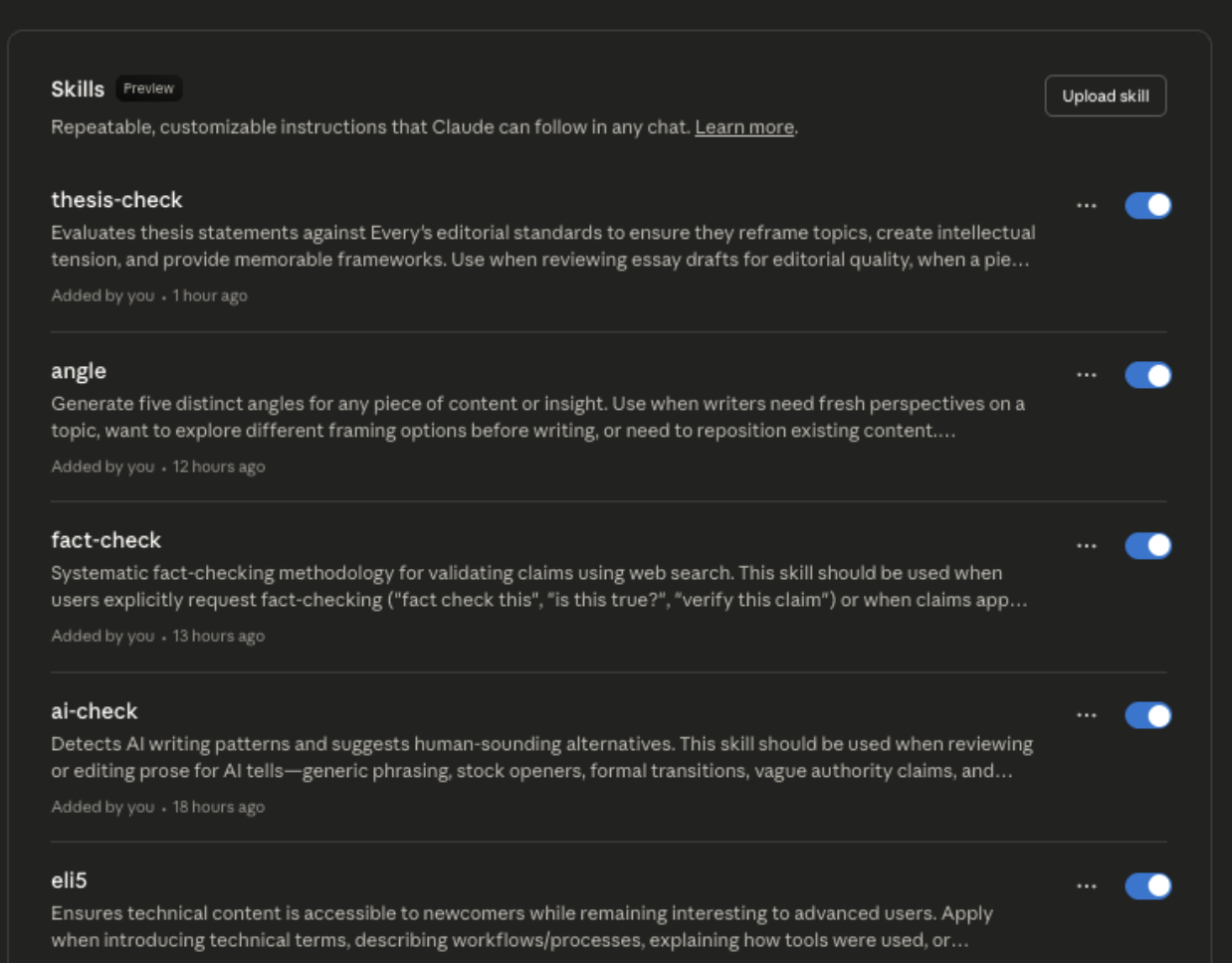
My growing collection of custom skills, all waiting to be invoked. (Source: Katie Parrott.)


I wasn’t the only one crash-testing Skills shortly after its release. Nityesh Agarwal, Every’s engineer on Cora and an AI-powered learning enthusiast, spent a weekend deep in exploration and created an impressive custom skill that improved Claude’s presentation design capabilities.

Skills promise expertise packaged and ready on demand. But there’s a catch: The gap between “I built a skill” and “the skill works reliably” turned out to be wider than expected, especially when thinking about deploying skills across an organization. That said, I’m still using it every day—and so is Nityesh. Here’s what works, what doesn’t (yet), and why it’s worth the learning curve.

Uploaded image

We’re the AI company that doesn’t have churn.

We actually have a 127% net revenue retention (our voice agents are pretty good).

They sound human, run 24/7, and never ask for PTO.

If you want to see for yourself, you can try Bland’s Voice AI for completely free.

Or for enterprises, you can book a call directly.

What Skills do

Think of Skills as mini-experts that you can summon when needed—or Claude can invoke for you, if you write the prompt that way. You create a folder containing a SKILL.md file with instructions, optional Python scripts, and reference materials. Zip it, upload it, and Claude can use those instructions to work the way you work.

Need Claude to match your editorial voice? Build a skill. Want it to generate PowerPoints according to your company’s house style? Package those rules as a skill. Have a complex workflow requiring multiple data files and custom codescripts? Skills can bundle all of that together.

The technical innovation is called “progressive disclosure.” Claude doesn’t load all your skills into its conversation space at once. Instead, it sees skill names and descriptions first, like scanning a bookshelf. When you ask Claude to do something—like check a post for alignment with Every’s style guide—it identifies relevant skills and loads only what it needs. So you can package unlimited institutional knowledge without eating up the space Claude uses to track your conversation.

If you’ve used Claude Code’s subagents, Skills work on a similar principle—specialized capabilities you invoke when needed. The difference is that Skills work across Claude interfaces, including its web interface and API, rather than just in the coding environment.

The key to creating skills is understanding what you need to do versus what Claude can do for you. You provide the specifications—tell Claude what outcome you’d like (“I need a skill that checks drafts for AI writing patterns”), how you want it to behave, what a good output looks like, and any specific rules or preferences. Claude translates that into a skill file with proper formatting and structure. You can write skills yourself manually from scratch, of course. The question is, why would you? (I don’t.)

What’s the difference between Skills and Projects, dedicated workspaces where you can set up custom instructions and add documents? Projects apply their instructions automatically to everything in that workspace. Skills are on-demand capabilities that Claude loads anywhere across your Claude instance—but only when the skill is either invoked by prompting it with “use this skill” or Claude calls it automatically, depending on how the instructions are written. My Working Overtime Project contains my writing voice and style. I want that applied to everything. The hook-check skill is something I only need when reviewing a draft’s opening. I prompt, “run a hook check on this draft,” and off we go.
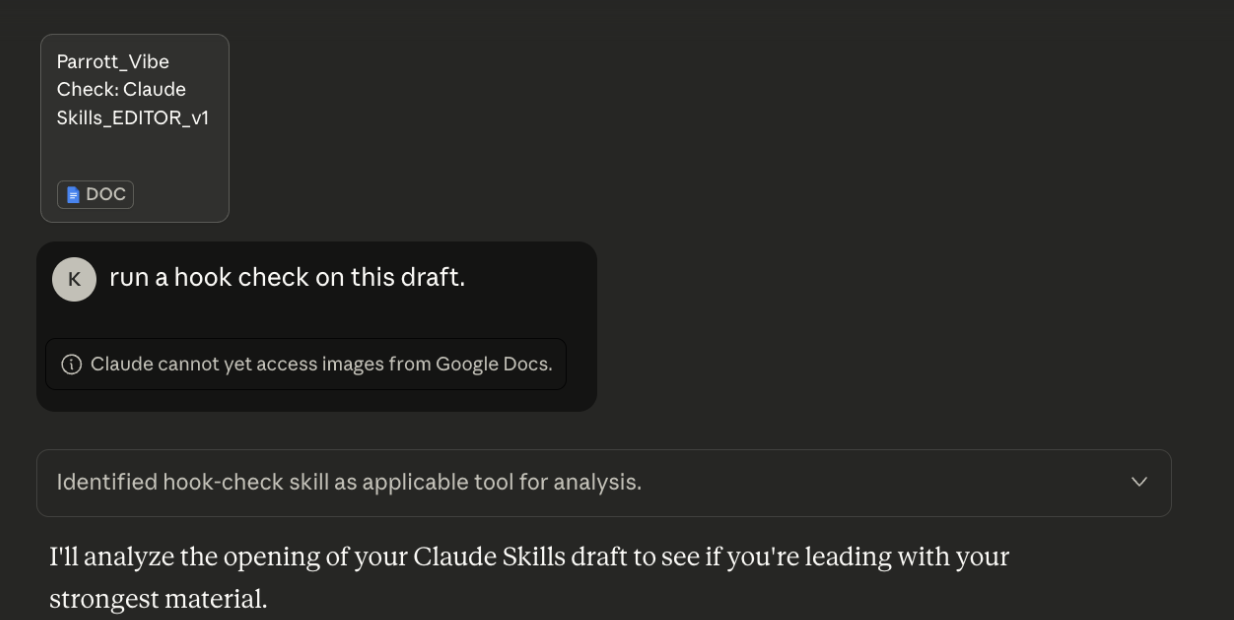
I prompted Claude to run a “hook check,” a skill loaded with Every’s best practices for article openings. (Source: Katie Parrott.)


Because Skills work across Claude’s web app, Claude Code, and the API, if you build one, you can use it anywhere you use Claude. That’s genuinely useful if you’re bouncing between chatting on the website and coding in Claude Code, but it also locks you into Anthropic’s ecosystem. Your carefully crafted editorial style guide won’t travel to ChatGPT or Gemini.

The feature requires a paid plan: Pro ($20 per month), Max ($100 or $200 per month), Team ($25 per user per month), or Enterprise (custom pricing). Beyond your subscription, there are no additional API costs—Skills don’t rack up extra charges when Claude invokes them, which matters if you’re running them at scale.

An engineer’s take

It took some experimentation to figure out how to get the most out of Skills, even for my technical testing partner. Nityesh wanted Claude to make a slide deck. The built-in PowerPoint skill created slides that had a functional structure and logical flow, but looked phoned-in: generic layouts, minimal design consideration, and zero visual polish.
The deck generated by the built-in PowerPoint skill was too “Deck Building 101” for Nityesh’s taste. (Source: Nityesh Agarwal.)


He wondered: Why does this require a skill at all? Why can’t Claude just make a decent presentation?

It turns out that manipulating .pptx files requires either specialized software (like PowerPoint or Google Slides), or the ability to write and run code that edits the file directly. Skills bridges that gap by giving Claude the ability to write Python scripts and execute them, which it can’t do in a normal chat. That’s how it can open, modify, and save presentation files.

Despite his coding expertise, Nityesh decided it would be much easier to build his own custom skill for designing PowerPoints.

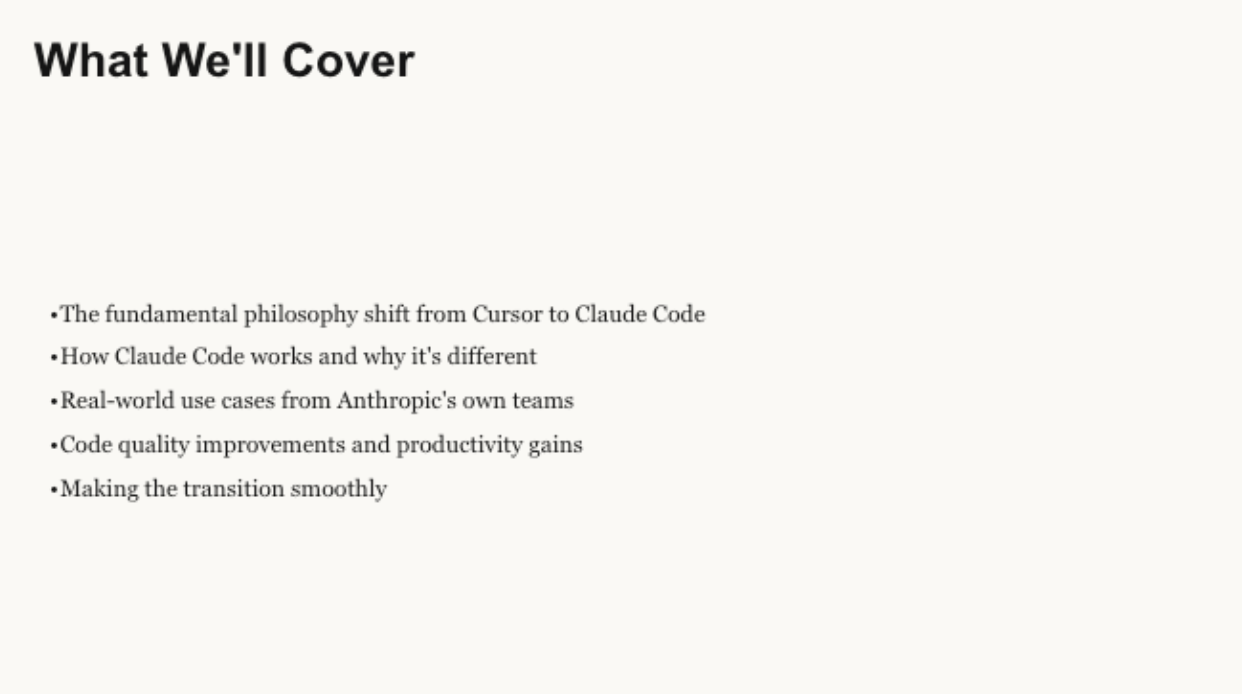
He asked Claude to think through presentation principles from great speakers like Steve Jobs and Seth Godin, then codified those principles into a skill. His test case: a presentation convincing a 30-developer team to switch from Cursor to Claude Code. This time, he got back professional color palettes, consistent spacing, hierarchical information architecture, and speaker notes on every slide—all generated 100 percent by Claude.

The custom PowerPoint design skill Nityesh built has more visual imagination. (Source: Nityesh Agarwal.)


The experiment revealed something important about Skills architecture. Even Skills without code can be powerful—they’re essentially subagents for Claude, packaging detailed instructions that get invoked on-demand. Nityesh’s PowerPoint design skill contained no code, just comprehensive design principles. Claude called upon those principles when needed, used them to create a blueprint, and passed that blueprint to the code-running PowerPoint skill to generate the file.

After a weekend of exploration, Nityesh’s verdict is that the Skills feature is more powerful than Claude Code’s subagents because a skill can bundle custom instructions with multiple data files and code while working inside the main chat context, rather than separating everything out into different agents.

The non-coder’s breakthrough moment

The first time the Every style guide skill worked, I felt 400 rules lift off my shoulders.

I handed Claude a draft full of violations—em dashes with spaces, missing Oxford commas, the wrong case on “Every”—and asked it to check the style guide. Claude caught them all—every capitalization and punctuation rule I carry in my head but forget under deadline pressure.

I prompt Claude to invoke the Every style guide skill and its chain of thought shows it finding and applying the relevant skill. (Source: Katie Parrott.)


When you’re writing multiple drafts a day and saving minutes per draft, the extra time adds up fast. I’m no longer split between evaluating ideas and catching mechanical errors. Claude handles the checklist; I handle the judgment calls.

The ELI5 skill catches accessibility issues I often miss when I get tired toward the end of the day. The AI-check skill flags the “delve” and “not X, but Y” constructions that slip through. For repetitive work with hundreds of specific rules, Skills handles the cognitive load that used to drain me by 3 p.m.

When everything aligns—the right task, the right skill, clear enough descriptions—it feels like having a personal expert on call. The challenge is making sure everything aligns.

The skill issue nobody mentioned

I thought building Skills would be like flipping a switch. I told the skill builder what I wanted, let Claude draft the skill, uploaded it, and assumed it would work.

It didn't. Claude kept ignoring my Skills. I'd give it a draft full of style violations and ask it to edit. Claude would improve the prose, tighten the structure, and suggest better transitions. But it overlooked the specifics of Every’s style guide, because it hadn’t invoked the skill to do the edit—it had just fallen back on its background knowledge about what a “style check” is.

Claude invokes four of my six skills to review a draft—once I remind it to. (Source: Katie Parrott.)


I started documenting the failures, ready to write about how my Skills weren’t auto-triggering, as advertised. Then I let Nityesh review the files that informed my Skills, and he sent back a screen recording showing what I'd done wrong. It turns out that if you want Skills to auto-trigger, you need to write that into the instructions.

I started documenting the failures, ready to write about how my Skills weren’t auto-triggering, as advertised. Then I let Nityesh review the files that informed my Skills, and he sent back a screen recording showing what I'd done wrong. It turns out that if you want Skills to auto-trigger, you need to write that into the instructions. (Source: Katie Parrott.)


"It's mostly about writing a good description of the skill," Nityesh explained. "It's almost a writing challenge more than a technical one."

This requires a specific kind of expertise. Not necessarily technical fluency as we’re used to thinking about it, but prompting fluency. You need to understand how Claude interprets instructions, what makes a description specific enough to trigger automatically, and how to write skill names that clearly signal their purpose.

My AI-check skill took numerous rounds of revisions to make sure it was catching all of the tells I wanted it to catch, then another round after Nityesh showed me the description issues. Writing Claude-friendly skill descriptions is something you can only overcome through experience.

I kept thinking of new words to add to the ai-check skill, and each time I had to have Claude add the new words and repackage the skill before I could re-upload it. (Source: Katie Parrott.)


Your team can't use your best Skills—yet

Skills work beautifully for the AI-fluent individual. If you're already immersed in AI workflows, building Skills to enhance your personal productivity is worth the learning curve. The work that goes into setup pays off when you're managing your own tools.

But when I think about rolling this out across Every—where Skills could really shine—I can think of three features that, if added, would take it from personal productivity tool to essential organizational infrastructure:

Sharing infrastructure. Right now, there's no "share with team" button or central library where colleagues can browse and enable skills. If I want team members to use a skill, I have to notify the team, send the files, and hope the upload goes smoothly for everyone. The good news: Anthropic is working on simplified skill creation workflows and enterprise-wide deployment capabilities to make distributing skills across teams easier.

Iteration infrastructure. Every change requires downloading the skill file, editing it locally, re-zipping it, and re-uploading. There's no way to test changes within Claude before deploying, or make quick tweaks and see results immediately. For a skill you're actively refining—like my AI checker, which I kept thinking of things to add to—this download-edit-upload loop gets tedious. It's manageable when building one or two skills for yourself, but imagine maintaining a library of 20 skills across a team.

Description quality guidance. As I learned the hard way, writing skill descriptions that Claude can parse correctly is its own skill. If I struggle with this—and I write about AI for a living—rolling this out to less AI-experienced team members will require either extensive documentation or someone reviewing skills before deployment.

Making these systems useful at scale requires someone making it their job to experiment, develop systems, educate, and enable others. For Every, that person is me. For a 500-person company with department-specific Skills libraries, the operational overhead adds up quickly.

The Reach Test

Katie: For my individual work, Skills are already essential. My AI-check, ELI5, and Every-style Skills are daily drivers—now that I've learned to write better descriptions. The learning curve around skill descriptions was steeper than I expected, but it’s worth it for the mental overhead it eliminates. At one point, Skills mysteriously disappeared from my account for a few days, and I immediately felt the difference (thankfully it came back, though I still don’t know why). That's the clearest signal I can give: I missed it when it was gone.

What Skills represent matters more than the current challenges. It’s a way to formalize knowledge so Claude enforces the same standards and performs the same behaviors every time. That's already a big deal for individual productivity. For organizational deployment, we're waiting on sharing infrastructure and better onboarding around description quality. Anthropic says they’re working on it. Until then, I'll keep building Skills for my own workflow.

Nityesh: I love Skills. It takes Claude to another level. Even inside Claude Code, Skills is the best tool for packaging custom instructions. I prefer making Skills over subagents because they work in the main chat context and can bundle instructions with multiple data files and code. My main observation: Managing AI effectively will require dedicated operations people, because even if you create Skills, you need someone monitoring their performance and tweaking them based on usage to optimize value across team members.

Where there’s a skill, there’s a way

Skills deliver on their technical promise. Progressive disclosure (that bookshelf browsing we mentioned earlier) works. The architecture is sound. The skill creator lowers the technical barrier. But it's not a "set it and forget it" system—it requires prompt engineering skills to deploy effectively.

For AI-fluent individuals who understand how to develop descriptions Claude can parse, Skills are worth building now. Just don't assume the skill creator will write perfect descriptions for you on the first go—review and sharpen them yourself.

For organizations trying to deploy institutional knowledge at scale, the challenges are substantial but solvable. The manual sharing problem needs the promised infrastructure, and the skill description problem requires either training or dedicated support from someone who understands both the domain and how to write for AI.

For everyone else, keep watching. When Skills matures into what it promises—a truly automatic system that makes Claude work your way without requiring prompt engineering expertise—it'll be powerful. The foundation is already solid. The individual productivity gains are real. The organizational deployment just needs a little time to cook.


Katie Parrott is a staff writer and AI editorial lead at Every. You can read more of her work in her newsletter.

To read more essays like this, subscribe to Every, and follow us on X at @every and on LinkedIn.

We build AI tools for readers like you. Write brilliantly with Spiral. Organize files automatically with Sparkle. Deliver yourself from email with Cora. Dictate effortlessly with Monologue.

We also do AI training, adoption, and innovation for companies. Work with us to bring AI into your organization.

Get paid for sharing Every with your friends. Join our referral program.

Was this newsletter forwarded to you? Sign up to get it in your inbox.

The Only Subscription
You Need to Stay at the
Edge of AI

The essential toolkit for those shaping the future

"This might be the best value you
can get from an AI subscription."

- Jay S.

Mail Every Content
AI&I Podcast AI&I Podcast

Monologue Monologue

Cora Cora

Sparkle Sparkle

Spiral Spiral

Join 100,000+ leaders, builders, and innovators

Community members

Already have an account? Sign in

What is included in a subscription?

Daily insights from AI pioneers + early access to powerful AI tools

Pencil Front-row access to the future of AI
Check In-depth reviews of new models on release day
Check Playbooks and guides for putting AI to work
Check Prompts and use cases for builders

Comments

You need to login before you can comment.
Don't have an account? Sign up!

"... Every change requires downloading the skill file, editing it locally, re-zipping it, and re-uploading. There's no way to test changes within Claude before deploying, or make quick tweaks and see results immediately." Not if you build and test them inside of Claude Code, instead of Claude.AI 😉

https://prpm.dev solves this with a concept of organizations and verified organizations can have private skills/collections/slash commands

Charlie Deist about 1 month ago

PRPM looks like a neat rabbit hole. But for the non-technical claude code users among us, using SKILLS.md files for our repetitive copywriting jobs, we need a different kind of sharing platform.

The obvious solution is for Every to lead this charge.

@market makes sense! Yes, prpm is definitely geared towards the technically minded developer 😊

Bronson Elliott about 1 month ago

Great article. You've inspired me. I need to get myself going with Claude Skills.

Micky J Howell about 1 month ago

The every team should share a marketplace repo for these skills. It'd be the perfect hook for the end of the essay

Cristian Morales about 1 month ago

I told Claude to create a marketplace with a skills plugin, distribution via npm. One command line and ready on the next project. It even created a CLI installer for the plugin.